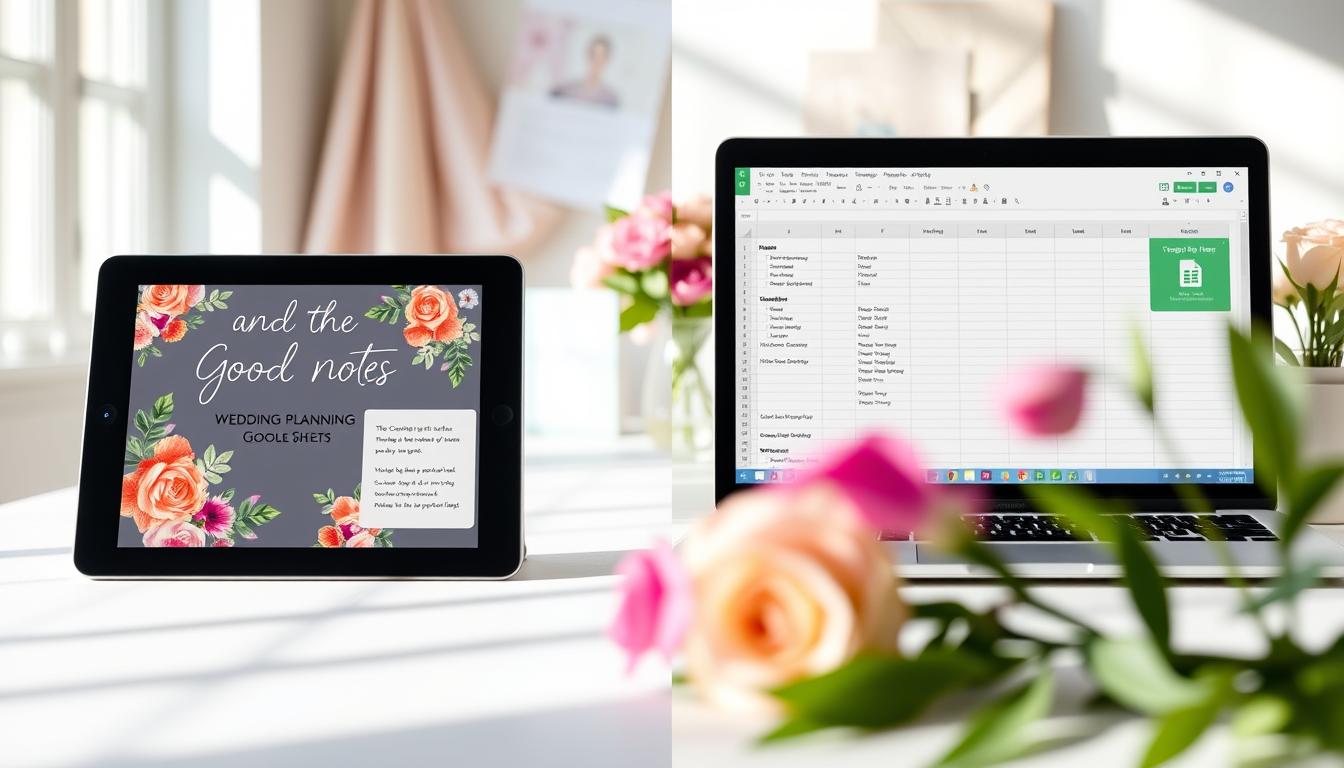
GoodNotes vs Google Sheets: Which Wedding Planner Is Better in 2026?
As you start planning your wedding in 2026, you’re likely considering various digital tools to help organize your special day. Two popular options are emerging as top contenders: GoodNotes and Google Sheets.
Both can be used as digital wedding planners, but which one is better suited for your needs? In this article, we’ll compare their features, usability, and integration capabilities to help you make an informed decision.
Key Takeaways
- Comparison of GoodNotes and Google Sheets as wedding planners
- Features and usability analysis
- Integration capabilities for seamless planning
- Determining the best digital wedding planner for 2026
- Tips for choosing the right tool for your wedding planning needs
Understanding Digital Wedding Planning Tools in 2026
With the rise of digital wedding planners, couples in 2026 can simplify their wedding preparation process. Digital wedding planning tools have revolutionized the way couples prepare for their big day, offering a range of features to simplify the planning process.
The Evolution of Wedding Planning Software
Wedding planning software has come a long way, evolving from simple checklist apps to comprehensive platforms that manage every aspect of wedding planning. These tools now offer advanced features such as budget tracking, vendor management, and guest list organization.
The shift towards digital wedding planning has been driven by the need for more efficient and organized planning processes. Couples can now access a wide range of tools that cater to different aspects of wedding planning, from budgeting to seating arrangements.

Key Features to Look for in Digital Wedding Planners
When choosing a digital wedding planner, there are several key features to consider. These include customization options, collaboration features, and user-friendly interfaces. A good digital wedding planner should allow you to tailor the tool to your specific needs, whether it’s creating a personalized wedding website or managing your guest list.
| Feature | Description | Importance |
|---|---|---|
| Customization | Ability to personalize the planner to your needs | High |
| Collaboration | Ability to share and work with others (partners, planners, vendors) | High |
| User Interface | Ease of use and navigation within the planner | Medium |
| Budgeting | Tools for tracking expenses and staying within budget | High |
When comparing digital wedding planners like GoodNotes and Google Sheets, it’s essential to evaluate these features to determine which tool best suits your needs. Whether you’re looking for a simple wedding planning spreadsheet or a more comprehensive digital wedding planner, understanding the key features will help you make an informed decision.
GoodNotes vs Google Sheets Wedding Planner: Core Features Comparison
In the digital age, wedding planning has become more efficient with tools like GoodNotes and Google Sheets. Both offer unique features that cater to different aspects of wedding planning.
GoodNotes Wedding Planning Capabilities
GoodNotes stands out as a versatile tool for wedding planning, offering a range of features that make it an attractive option for couples.
Template Options and Customization
GoodNotes provides various template options that allow you to customize your wedding plan according to your preferences. You can choose from different layouts and designs to create a personalized wedding planner.
Handwriting and Drawing Features for Seating Charts
The handwriting and drawing features in GoodNotes are particularly useful for creating detailed seating charts. You can sketch out your reception layout and make adjustments as needed, ensuring that every guest has a designated seat.

Google Sheets Wedding Planning Functionality
Google Sheets, on the other hand, offers a more structured approach to wedding planning, with features that are ideal for managing budgets and vendor information.
Budget Tracking and Formula Automation
With Google Sheets, you can create a detailed budget tracker with formula automation, making it easier to monitor your expenses and stay within your budget.
Vendor Management and Timeline Creation
Google Sheets also enables you to manage vendor information and create a timeline for your wedding day. You can organize contact details and appointments in a single spreadsheet, ensuring that everything runs smoothly.
“Using Google Sheets for our wedding planning was a game-changer. We could track our budget and vendor details in one place.” – Rachel, Bride
Cross-Platform Availability and Synchronization
Both GoodNotes and Google Sheets offer cross-platform availability and synchronization, allowing you to access your wedding plans from anywhere, on any device.
This comparison highlights the unique strengths of each tool, helping you decide which one best suits your wedding planning needs.
Real Wedding Planning Scenarios: Which Tool Performs Better?
When planning your wedding, the choice between GoodNotes and Google Sheets can significantly impact your experience, depending on the size and complexity of your event. Let’s examine how these tools perform in different real wedding planning scenarios.
Small Intimate Weddings vs. Large-Scale Events
For small, intimate weddings, GoodNotes might be the preferred choice due to its ease of use and visual appeal. You can easily create a beautiful and organized plan that is simple to share with your partner or wedding planner.
In contrast, for larger-scale events, Google Sheets might be more suitable due to its ability to handle complex data and collaborations. You can create detailed spreadsheets that track various aspects of your wedding planning, from guest lists to vendor contracts, and collaborate with multiple stakeholders in real-time.
DIY Wedding Planning vs. Working with Coordinators
If you’re handling the planning process yourself, GoodNotes can be an excellent tool for keeping everything organized. Its note-taking capabilities allow you to jot down ideas, create to-do lists, and store important documents in one place.
On the other hand, if you’re working with professional wedding coordinators, Google Sheets can be more effective. Coordinators can access and update the spreadsheets in real-time, ensuring that everyone is on the same page.
“Using Google Sheets allowed us to collaborate with our wedding planner seamlessly. We could track our progress, make changes, and share information instantly.” – Rachel & Mike, wedding couple
Case Studies: Real Couples’ Experiences
Let’s look at some case studies of real couples who used either GoodNotes or Google Sheets for their wedding planning.
| Couple | Tool Used | Experience |
|---|---|---|
| Emily & Jack | GoodNotes | Found it easy to use and visually appealing for their small wedding. |
| Sarah & Tom | Google Sheets | Appreciated the collaboration features for their large wedding. |
These case studies highlight the strengths and weaknesses of each tool in real-world scenarios, helping you make an informed decision for your wedding planning needs.
Usability and Integration with Other Wedding Services
When planning your wedding, the usability and integration of your chosen digital tool can make all the difference. Both GoodNotes and Google Sheets offer unique integration capabilities that can enhance your wedding planning experience.
GoodNotes Integration Capabilities
GoodNotes is renowned for its note-taking capabilities, and it integrates well with other organization apps. You can easily sync your wedding plans across devices, ensuring that your notes are always up-to-date. GoodNotes’ integration with Apple devices means you can access your wedding planner from your iPhone, iPad, or Mac.
While GoodNotes excels in note-taking, its integration with other wedding-specific services is somewhat limited compared to Google Sheets. However, you can still export your notes to share with vendors or your wedding party.
Google Sheets Connectivity with Wedding Apps
Google Sheets, on the other hand, offers robust connectivity with various wedding apps and services. You can easily link your wedding budget spreadsheet to other Google services or third-party apps like wedding planning software. This connectivity allows for seamless data sharing and collaboration.
For instance, you can connect your Google Sheets wedding budget to a cash flow tracking app, ensuring that your financial planning is always in sync. This level of integration is particularly beneficial for couples working with wedding planners or coordinators.
Sharing Information with Vendors and Wedding Party
Sharing information with your vendors and wedding party is a crucial aspect of wedding planning. Google Sheets makes it easy to share specific sheets or the entire spreadsheet with others, controlling their level of access. You can also use the comment feature to discuss details directly within the spreadsheet.
GoodNotes allows you to export your notes in various formats, making it easy to share your wedding plans with others. While it may not offer the same level of real-time collaboration as Google Sheets, you can still effectively share your plans with your wedding party and vendors.
Conclusion: Choosing the Right Wedding Planning Tool for Your Needs
When deciding between GoodNotes and Google Sheets for your wedding planning, consider your specific needs and preferences. If you prioritize a visually appealing and user-friendly interface, GoodNotes might be the best wedding planner for you in 2026. On the other hand, if you need robust data management and collaboration features, Google Sheets could be the better choice.
A digital wedding planner comparison like this helps you make an informed decision. Think about your wedding planning style: Do you prefer handwritten notes or digital spreadsheets? Are you working with a wedding coordinator or planning everything yourself? By considering these factors, you can choose the wedding planner that suits your needs.
Ultimately, the best wedding planner is one that you will use consistently throughout your planning process. Whether you choose GoodNotes or Google Sheets, having a dedicated tool for your wedding planning will help you stay organized and focused on your special day.
Why choose one? Get both in our Ultimate Wedding Planner Bundle. Get Now
FAQ
What are the main differences between GoodNotes and Google Sheets as wedding planners?
GoodNotes is a note-taking app that offers a more visual and creative approach to wedding planning, while Google Sheets is a spreadsheet tool that provides robust data management and collaboration features.
Can I use GoodNotes and Google Sheets together for wedding planning?
Yes, you can use both tools together to leverage their respective strengths. For example, you can use GoodNotes for creating seating charts and visualizing your wedding layout, while using Google Sheets for budget tracking and vendor management.
How do GoodNotes and Google Sheets handle collaboration with wedding vendors and the wedding party?
Google Sheets offers real-time collaboration features, making it easier to share information with vendors and your wedding party. GoodNotes also allows sharing, but it may require exporting your notes to a different format.
Are GoodNotes and Google Sheets available on multiple platforms?
Yes, both GoodNotes and Google Sheets are available on multiple platforms, including iOS, Android, and web browsers, ensuring that you can access your wedding plans from anywhere.
Can I customize the templates in GoodNotes and Google Sheets to fit my wedding needs?
Yes, both GoodNotes and Google Sheets offer customization options. GoodNotes provides a range of templates and allows you to create your own layouts, while Google Sheets offers customizable spreadsheet templates and formulas.
Which tool is better suited for large-scale weddings with complex data and multiple vendors?
Google Sheets is generally better suited for large-scale weddings due to its ability to handle complex data, collaborations, and vendor management.
Can I use GoodNotes for creating a wedding budget?
While GoodNotes can be used for creating a basic wedding budget, it’s not its primary function. Google Sheets is more suitable for budget tracking due to its formula automation and data analysis capabilities.
Are there any additional costs associated with using GoodNotes or Google Sheets for wedding planning?
GoodNotes requires a one-time purchase, while Google Sheets is a free service included with a Google account. However, you may need to consider additional costs for premium features or third-party integrations.